Omarchy on an M3 MacBook
OrbStack can't run it, Try Omarchy can, and VMPal can after three fixes
Omarchy installs from an ISO, and the ISO is x86_64. On an M3 Mac that leaves virtual machines, and only the ones that give Linux a GPU can show its desktop.
OrbStack can't
OrbStack's machines are containers on one shared kernel, with no GPU device. Hyprland needs a DRM device to draw on, so Omarchy's packages install, but its desktop has nowhere to render.
Try Omarchy can
Try Omarchy (opens in a new tab) is the official Mac app. It boots Omarchy's own ARM image in QEMU on Apple's Hypervisor framework, sends the graphics through VirGL to macOS's OpenGL, and adds the Mac integrations. It's a 13 MB download, then a 3 GB image on first launch.
VMPal can, after three fixes
VMPal (opens in a new tab) gives Linux VMs GPU acceleration on macOS 27, and its Linux tools already handle Hyprland and Omarchy 4. Its catalog has no Omarchy, so the install is by hand: Alpine's ISO as the installer, Arch Linux ARM underneath, then omarchy-mac's installer. OmacVM (opens in a new tab) automates the same route for UTM, VMware Fusion and Parallels.
The scripts and every command are in omarchy-vmpal (opens in a new tab). The short version:
- Create the VM from Alpine's ARM64 ISO.
bin/vmpalis VMPal's own command line, run from inside the app.
git clone https://github.com/ivorpad/omarchy-vmpal && cd omarchy-vmpal
bin/vmpal create --file alpine-standard-3.23.7-aarch64.iso --name Omarchy --cpus 6 --memory 8 --disk 64- In the VM's window, log in as
rootand turn on SSH with your key.
setup-interfaces -a -r
setup-apkrepos -1
setup-sshd -c openssh -k "ssh-ed25519 AAAA... you@mac"- From the Mac,
guest/base-install-alpine.sherases the VM's disk and installs Arch Linux ARM, andguest/post-base.shadds VMPal Tools. Turn GPU acceleration on and restart once, so VMPal treats the system as installed.
bin/vmpal set Omarchy --gpu on
bin/vmpal stop Omarchy && bin/vmpal start Omarchy --waitguest/omarchy-install.shruns omarchy-mac's installer unattended. Apply the fixes below before the first reboot.
Three problems took most of the time. Archboot's ARM64 ISO never booted under VMPal; Alpine's did. The other two need a change inside the VM, as root.
Omarchy's boot splash froze every GPU-accelerated boot before Linux started. Take splash off GRUB's command line:
sed -i -E '/^GRUB_CMDLINE_LINUX_DEFAULT=/ s/ splash\b//' /etc/default/grub
grub-mkconfig -o /boot/grub/grub.cfg
The bar and menu drew empty. Arch Linux ARM ships Qt 6.12, which added a QML type called Color that shadows Omarchy's own. Pinning the shell's import QtQuick to 6.11 brings them back, and the repo adds a pacman hook that repeats it after updates.
grep -rlE '^import QtQuick\s*$' /usr/share/omarchy/shell --include='*.qml' |
  xargs sed -i -E 's/^import QtQuick\s*$/import QtQuick 6.11/'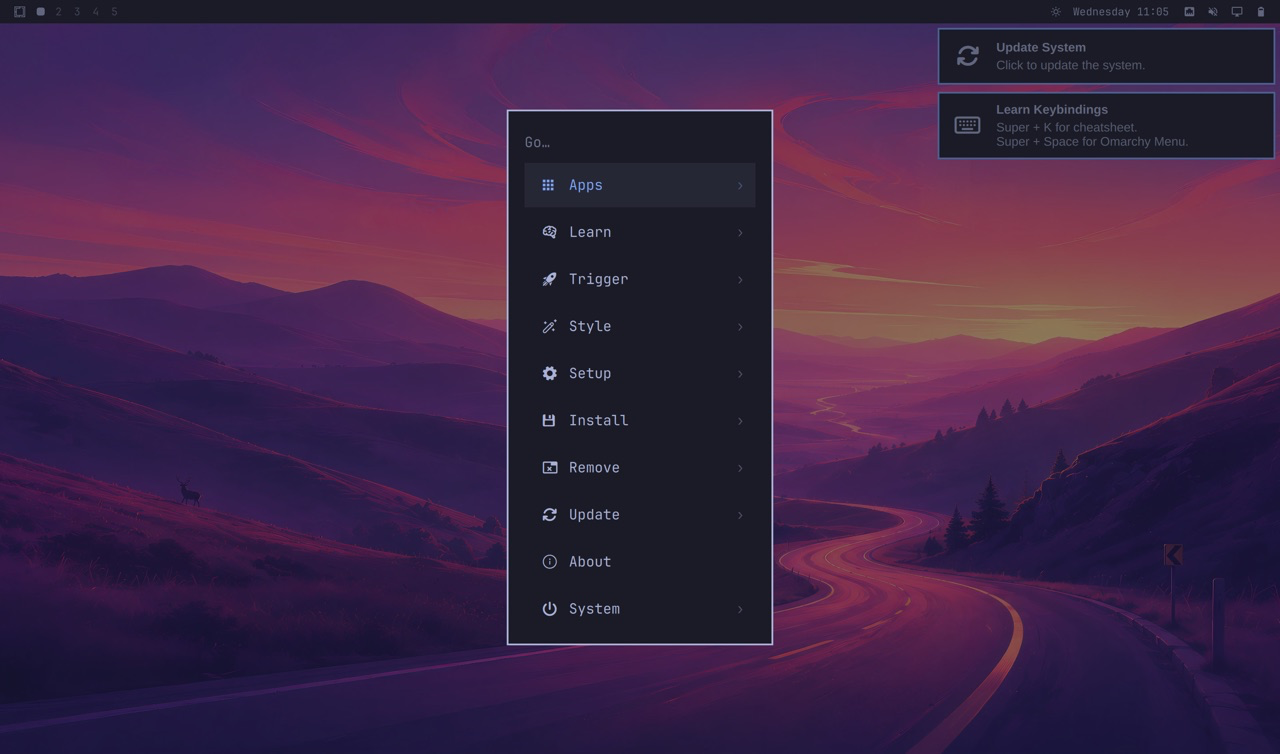
Resolution
VMPal sizes the VM's display to its window, at twice the window's size in points, and Hyprland doesn't follow when that changes. VMPal Tools resize GNOME, COSMIC and Xfce, but not Hyprland. Full screen on a 2560×1440 monitor, VMPal offered 5120×2880 and Omarchy stayed at 2880×1696. Setting the mode by hand put it at the monitor's own resolution, pixel for pixel:
hyprctl eval 'hl.monitor({ output = "Virtual-1", mode = "2560x1440@120", position = "0x0", scale = 1 })'
hyprctl eval 'hl.env("GDK_SCALE", "1")'
That lasts until you log out. The repo's README has how to keep it.
What works
Hyprland reports virgl (Apple M3 Pro) as its renderer, with OpenGL ES 3.0. The bar, menu, terminal and Chromium work, and the Mac's battery shows up in Linux. Sound doesn't, because Arch Linux ARM's kernel has no driver for VMPal's virtual sound card. Screen recording, Vulkan, Wi-Fi and Bluetooth don't work either. The full list (opens in a new tab) is in the README.
Which one
Try Omarchy, unless you already live in VMPal. The VMPal build is omarchy-mac's 4.0.3 release candidate on top of Arch Linux ARM's newer Qt, so expect more surprises when it updates.